AI Image Editor — Fast, Precise Photo Editing
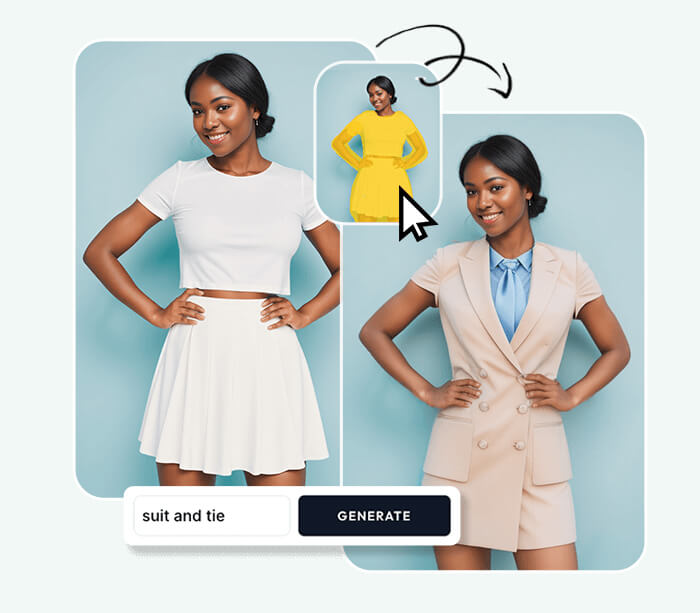
AI Image Editor lets you upload photos, describe edits, and receive high-quality results fast. Use AI Image Editor for quick retouching, background swaps and style transfers.




Feedback
AI Tools
Explore AI tools

AI Image Editor Examples
See what our AI Image Editor can do. Remove backgrounds, change styles, enhance photos instantly.


Why Use AI Image Editor
AI Image Editor focuses on accurate retouching, seamless background edits and fast style transfers to support production and quick-turn workflows.
- Accurate RetouchingPerform skin, color and detail corrections quickly using AI Image Editor.
- Rapid IterationPreview edits and iterate fast to reach production-ready images with AI Image Editor.
- Flexible ExportDownload high-quality images ready for web or print from AI Image Editor.
Why Choose Our AI Image Editor?
Our AI Image Editor is beginner-friendly and pro-ready. Multiple AI models, one-click prompts, and all-in-one workflow.

How to Use AI Image Editor
Four steps with AI Image Editor: upload a photo, describe edits, preview results and export the final image.
Key Features
AI Image Editor provides precise retouching, seamless background edits and fast style transfers to speed production workflows.
Photoreal Detail
Render natural textures and lighting for professional images with AI Image Editor.
Consistent Results
Maintain subject identity and consistent tones across edits using AI Image Editor.
Quality Controls
Use built-in tools to manage color fidelity and sharpness in AI Image Editor outputs.
High Resolution
Export production-ready images suitable for web and print from AI Image Editor.
Context-Aware
Adapt edits for portraits, products and editorial needs with AI Image Editor.
Quick Iteration
Make prompt-driven edits rapidly and iterate to final assets using AI Image Editor.
AI Image Editor — Frequently Asked
Answers about supported edits, processing times and export options when using AI Image Editor.
What is AI Image Editor?
A tool to perform fast retouches, background swaps and style transfers using AI Image Editor.
What edits are supported?
Background replacement, clothing swaps, color grading and retouching are supported by AI Image Editor.
How fast are results?
Typical edits complete in 1–2 minutes depending on complexity when using AI Image Editor.
Can I export high-res images?
Yes — download production-ready images suitable for web and print from AI Image Editor.
Does it preserve subjects?
AI Image Editor is designed to keep subject proportions and facial features consistent across edits.
Is commercial use allowed?
Check your account and licensing terms before commercial use of AI Image Editor outputs.
Start Editing with AI Image Editor
Upload a photo, describe the edit, and get a polished image in seconds—fast, simple, and powerful.